|
|
|

A deployment diagram (DPD) shows a configuration of run-time processing elements and the components and objects that run on them. You can use a deployment diagram, for example, to show the configuration and routing of components and objects in a distributed system.
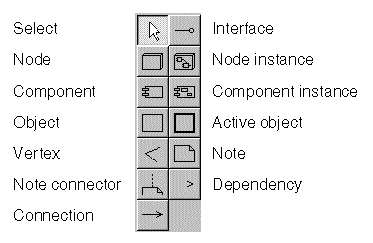
The control panel of the deployment diagram.
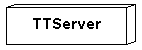
A node can represent any computational element, but generally represents a piece of hardware.
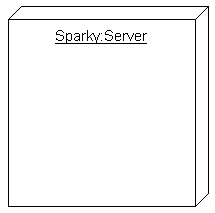
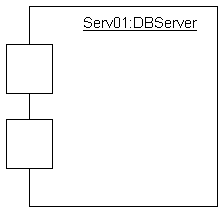
A node instance represents a specific computational element.
Node instances can contain component instances, objects, and active objects. On the diagram, place the contained elements on top of the node instance. Use Check|Contents to ensure that node instances contain only appropriate elements.
Communication paths among the nodes are shown as connections (solid lines).
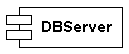
A component generally represents an executable piece of the system, such as a software system. In modeling a business, however, a component might represent reports, forms, or other business documents.
A component instance represents a specific component.
Component instances can contain objects and active objects. On the diagram, place the contained elements on top of the component instance. Use Check|Contents to ensure that component instances contain only appropriate elements.
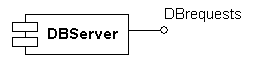
An interface represents the externally-visible operations of a component. It is connected to a component and labeled with the name of an interface class that is defined in a class diagram.
You draw a dependency (a dashed arrow) between two components or interfaces to indicate that changing the destination component or interface might require a change in the source component or interface.
You can attach stereotypes, such as <<copy>> or <<derived>>, to a dependency. See Working With Items.
In a deployment diagram, the <<becomes>> stereotype is useful.
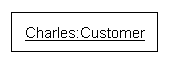
An object represents an instance of a class.
Objects can contain objects and active objects. On the diagram, place the contained elements on top of the object. Use Check|Contents to ensure that objects contain only appropriate elements.
The type must be a class defined in a class diagram.
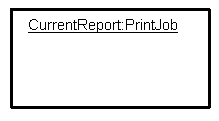
An active object represents an instance that owns a thread of control and can initiate control activity. For example, processes and tasks are active objects.
Active objects can contain objects and active objects. On the diagram, place the contained elements on top of the active object. Use Check|Contents to ensure that active objects contain only appropriate elements.
The type of an active object does not have to be defined in a class diagram.